Asomiya is a programming language in Assamese. This extension gives it full editor support in VS Code and the editors built on it (Cursor, Windsurf, VSCodium), whether you write in Assamese script or in English letters.
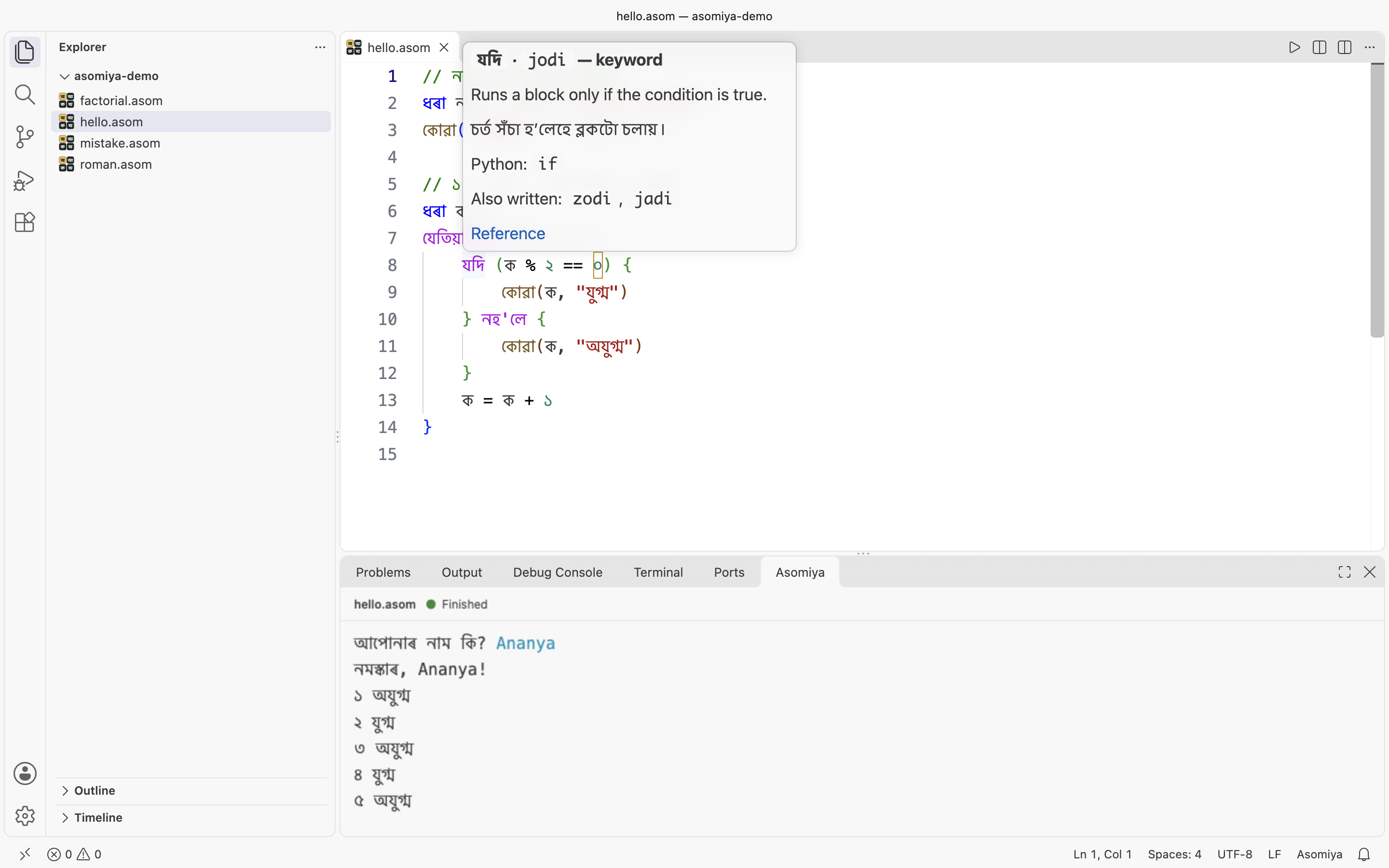
Syntax colours in both scripts
Keywords, built-ins, text, numbers (১২৩ and 123) and comments are coloured whichever way you write. Every accepted spelling works: nohole, noh’le and নহ’লে are the same keyword.
Errors as you type
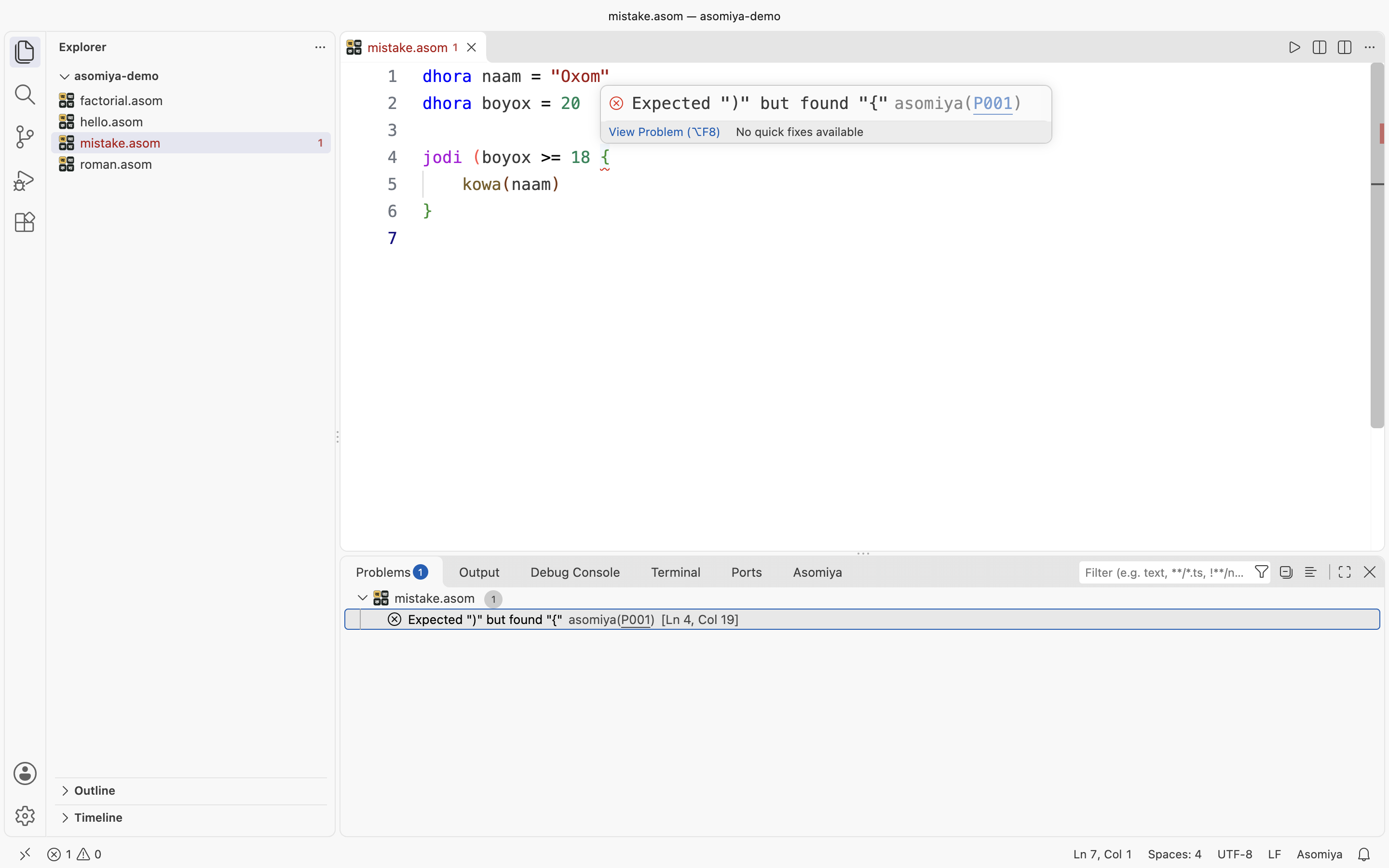
Mistakes are underlined while you type, with Asomiya’s error code and a message in Assamese or English. Click the code to read how to fix it.
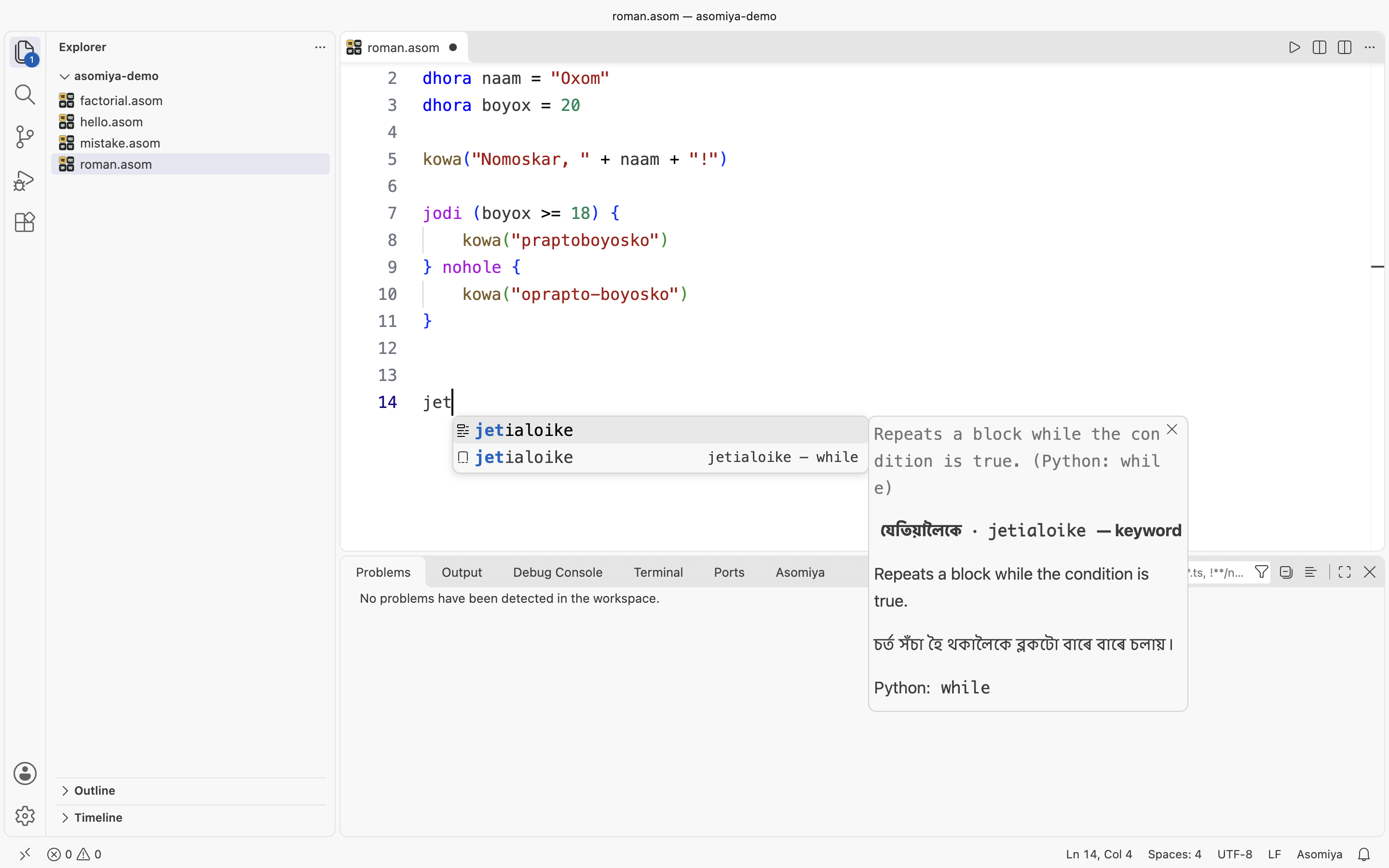
Hover help
Hover any keyword or built-in for its meaning in English and Assamese, and its name in Python.
Run with one click
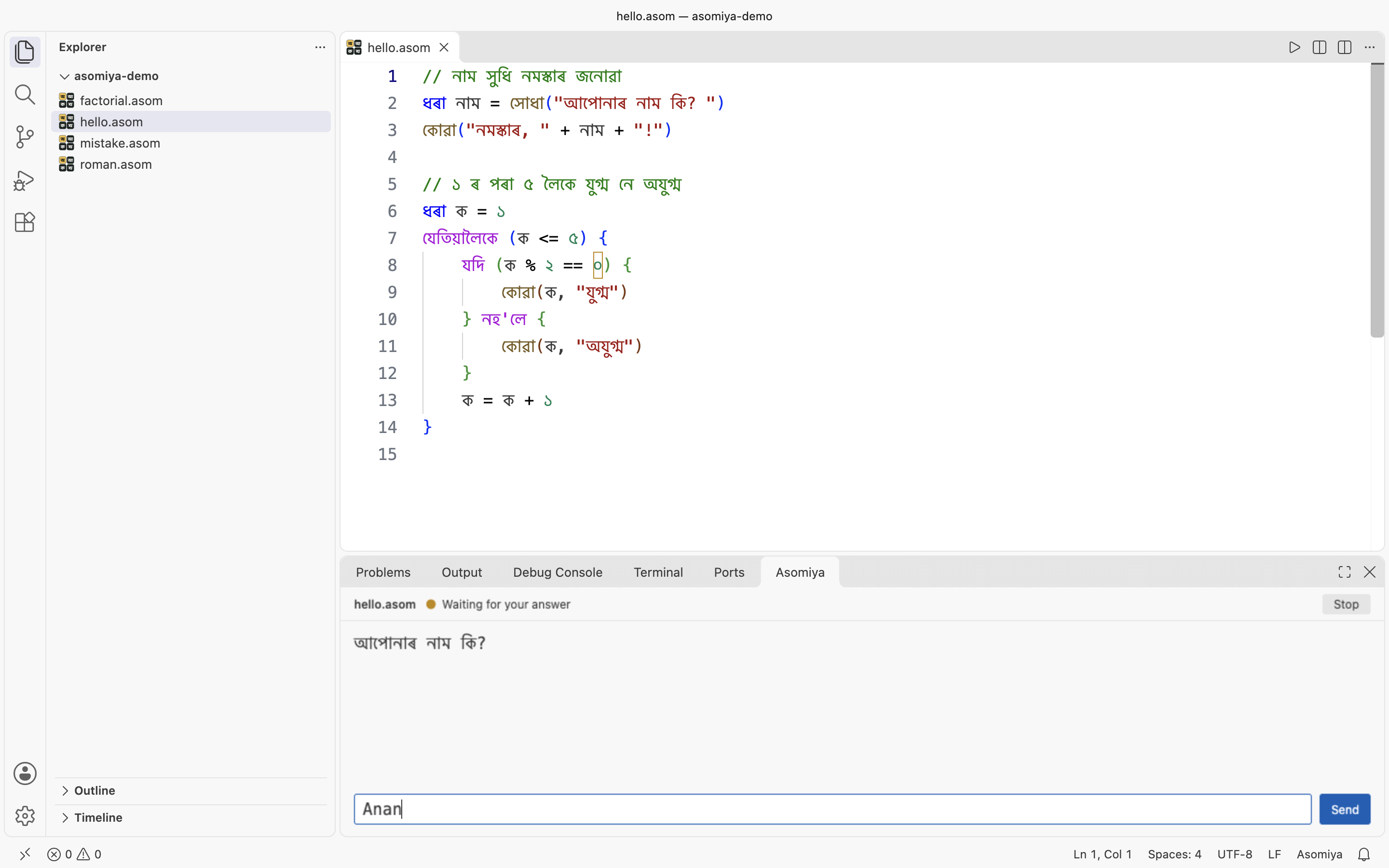
Press ▶ (or Cmd/Ctrl+F5). The output shows up in the Asomiya panel next to Terminal, with Assamese letters joined properly. When the program asks a question, type the answer in the box at the bottom. Nothing else to install.
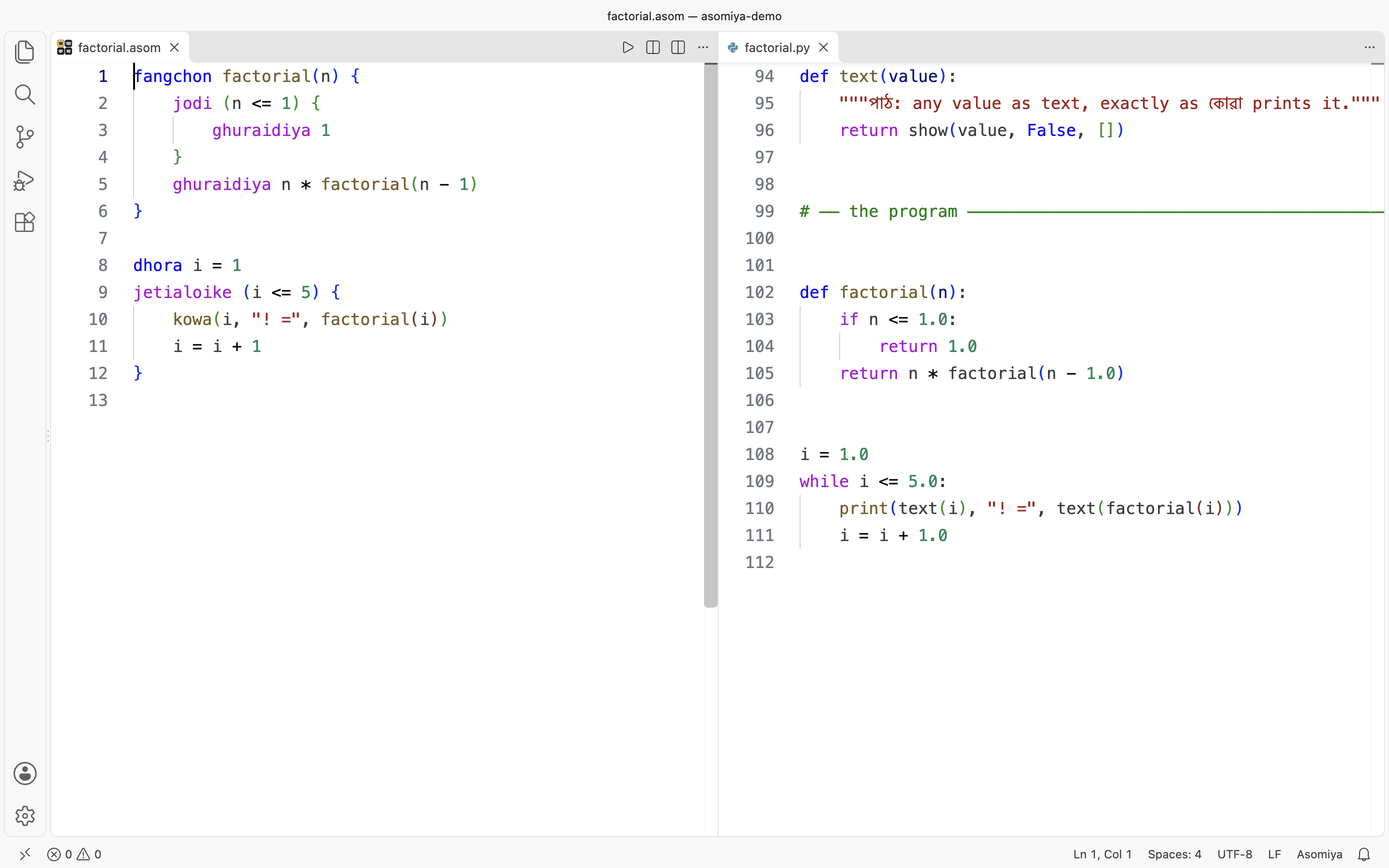
Show in Python
See the same program in Python beside it, updated as you type. It prints exactly the same output, and you can save it as a .py file.
Snippets
Type jodi, jetialoike, fangchon, যদি or ফাংচন and press Tab for a ready-made block, in either script.
Install
- In VS Code, open the Extensions view (Cmd/Ctrl+Shift+X).
- Search for “Asomiya” and click Install.
- Create a file ending in .asom and start writing.
Cursor, Windsurf and VSCodium: open Extensions, search “Asomiya” and click Install (it comes from the Open VSX registry).
Your first program
ধৰা নাম = সোধা("আপোনাৰ নাম কি? ")
কোৱা("নমস্কাৰ, " + নাম + "!")আপোনাৰ নাম কি? নমস্কাৰ, Ananya!
dhora naam = xudha("Apunar naam ki? ")
kowa("Nomoskar, " + naam + "!")Apunar naam ki? Nomoskar, Ananya!
Commands and shortcuts
Asomiya: Run Program | ▶ in the editor title · Cmd/Ctrl+F5 |
Asomiya: Stop Program | Stop in the Asomiya panel, or Ctrl+C there |
Asomiya: Show in Python | the split icon in the editor title |
Asomiya: Save Python Version As… | in the Python view’s title |
Settings
asomiya.errorLanguage | as | Error messages in Assamese (as) or English (en). |
asomiya.digits | auto | Print numbers as ১২৩, 123, or auto (123 for programs in English letters). |
asomiya.checkAsYouType | true | Underline errors while typing. |
Safe by design
- Checking for errors only reads your code; nothing runs until you press ▶.
- Asomiya programs cannot touch your files or the network, and a running program can always be stopped.
- No dependencies, no telemetry, about 60 KB.
Version history
- 0.2.2
- A program that prints a lot no longer slows the editor down. The Asomiya panel only appears once you open an Asomiya file.
- 0.2.1
- A rewritten guide with real screenshots.
- 0.2.0
- Run shows its output in the Asomiya panel, where Assamese letters join properly (the terminal broke them apart), with an answer box for সোধা and a Stop button. Show in Python opens at your program.
- 0.1.0
- First release: syntax colours, errors as you type, hover help, suggestions, Run, Show in Python, and snippets in both scripts.